Medical Alert Watches for Seniors: Options, Costs, and the Fall-Detection Gap
Published September 29, 2026
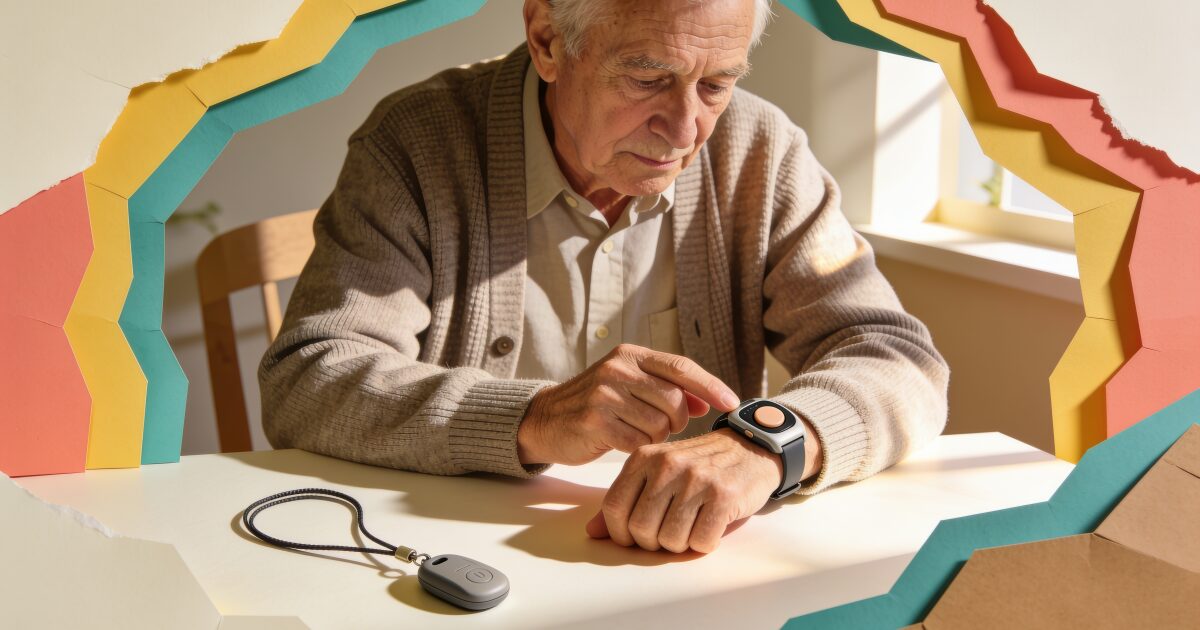
Somewhere between the traditional pendant on a lanyard and the sleek smartwatch your grandchildren wear sits a growing category called the medical alert watch. It is a good idea. Older adults are far more likely to keep wearing something that looks like a watch than something that looks like medical equipment.
Worried about someone living alone? Daily check-ins with automatic alerts.
Try free for 3 daysThe trouble is that the label covers two quite different things. Some medical alert watches are sold by monitoring companies and connect to a room full of trained operators. Others are ordinary smartwatches with fall detection and an SOS button. Both can save a life. Both cost money in different ways. And neither does everything the marketing implies.
This guide walks through the options, what fall detection really catches, what to budget for, and the one gap that every alert device shares.
What a medical alert watch actually is
Strip away the branding and a medical alert watch does three things. It gives the wearer a button to press for help. It may detect a hard fall and call for help automatically. And it sends that call somewhere: either to a staffed monitoring centre, or directly to emergency services and family.
That last point is the real dividing line. With a monitored device, pressing the button connects you to a person who knows your name, your address, and your medical notes, and who decides whether to send an ambulance or call your daughter. With a consumer smartwatch, the watch itself calls 911 and texts your contacts. There is no operator in the middle.
Neither is wrong. A monitored service is calmer and more forgiving of false alarms. A direct call is faster and free of monthly fees. Which suits a particular person depends on how confident they are, how often they might press the button by mistake, and how far away family live.
Dedicated medical alert watches
Companies such as Medical Guardian, Bay Alarm Medical, Lively, and MobileHelp each sell a watch-style device or a watch companion to their pendant systems. They vary in detail, but share a pattern.
The watch has its own cellular connection, so it needs no smartphone. A large button or on-screen tap connects to a 24/7 monitoring centre, where an operator speaks through the watch, checks on the wearer, and dispatches help or calls a family member as needed. GPS lets the operator see where the wearer is, which matters for someone who still goes out alone. Many models add step counting, weather, and simple messaging so the watch does not feel like a medical device.
Fall detection is usually available, though on several services it is an optional add-on with its own monthly charge, and each company is careful to say it will not catch every fall. Check current pricing directly, because plans and add-ons change.
The strengths are real: a human voice, no phone required, and a company whose whole business is answering that call. The weaknesses are the ongoing fee, hardware that can feel dated next to a consumer smartwatch, and battery life that can be short on models with a bright screen. If a parent already uses a pendant from one of these companies, adding their watch keeps everything on one account. Our broader guide to personal alarms for the elderly covers the pendant side of the same market.
Consumer smartwatches with fall detection
The other route is a mainstream smartwatch, and the three that matter for an older adult in the US are Apple Watch, Samsung Galaxy Watch, and Google Pixel Watch.
Apple Watch. Every model from Series 4 onwards, including the SE and Ultra, has fall detection. When it detects a hard fall and the wearer does not respond for about a minute, it calls emergency services and messages emergency contacts with the wearer's location. It is switched on by default for wearers aged 55 and over. It needs an iPhone in the household, and the cellular version can call for help without the phone nearby. We cover setup, wrist detection, and charging habits in detail in our Apple Watch fall detection guide.
Samsung Galaxy Watch. Recent Galaxy Watch models include hard fall detection and an SOS feature that can contact emergency services and chosen contacts. Setup lives in the Galaxy Wearable app on the paired phone. It suits an Android household, and the round face with a rotating bezel is easier for some older hands than swiping on glass.
Google Pixel Watch. Pixel Watch models also include fall detection and a set of safety features, including an emergency SOS and a safety check timer. Details differ between generations, so confirm what a specific model offers before buying. It pairs with Android phones.
The common thread is that all three call for help directly rather than through an operator, all three need charging roughly daily, and all three depend on the wearer keeping the watch on and, for non-cellular models, keeping their phone nearby. If you are weighing them against each other, our smartwatch guide for seniors goes into screens, straps, and ease of use.
Watch or pendant?
For years the default alert device has been a pendant on a cord or a button on a wristband, and it still has a place. Pendants are light, have a single obvious button, and often run for days or weeks between charges. Home-based units also work through a base station with a loud two-way speaker, which is useful for someone who rarely leaves the house.
3-day free trial • Cancel anytime
Daily check-ins that save lives
Join thousands who never worry about being alone
The problem with a pendant is that it gets taken off. It comes off for a shower and stays on the sink. It gets tucked into a drawer because it feels like a badge of frailty. A watch, by contrast, is a normal thing that normal people wear, and a device that is on the wrist is the only one that can help.
If a parent has resisted a pendant, a watch is often the compromise that finally gets worn. If they already wear a pendant happily, there is no need to change it. Our guide to choosing a panic button for seniors covers the pendant and wristband options in more depth.
What fall detection catches, and what it does not
Fall detection, on every device in this guide, works by watching motion sensors for the pattern of a hard fall: a sharp impact and then stillness. It is genuinely good at that. A trip on the stairs, a collapse in the kitchen, a fall getting out of the bath: these are the falls it was built for.
It is much weaker on everything else. A slow slide down a wall while feeling faint. A tumble from a chair onto carpet. Lowering yourself to reach something and finding you cannot get back up. None of these has the sharp signature the sensors look for, and all of them are common in older adults.
Then there are false alarms. Clapping, dropping onto a firm sofa, gardening, or a bumpy car ride can trigger a "did you fall?" alert. On a monitored service, the operator simply checks in and moves on. On a consumer watch, the wearer taps "I'm OK". The risk in both cases is a wearer who finds the alerts embarrassing and turns the feature off without telling anyone.
Every manufacturer says the same thing in its small print: fall detection cannot detect all falls. Take them at their word, and treat it as a valuable extra rather than the reason to relax.
Water resistance and charging
Two practical details decide whether a device is actually worn.
Bathrooms are where many falls happen, so a device that must come off for the shower is a device that is off at a dangerous moment. Most modern smartwatches and many dedicated alert watches are water resistant enough for showering, but check the specific model, and check whether the company recommends removing it.
Charging is the other trap. A device that is charged overnight on the nightstand is not on the wrist during the night-time trip to the bathroom. Encourage a daytime charging habit, during a meal or a favourite programme, and keep the charger somewhere it will be used. Pendants with a week or more of battery avoid this problem, which is a genuine point in their favour.
What it all costs
The two routes have very different cost shapes, and this often decides the matter.
A dedicated medical alert watch usually involves an upfront device cost, sometimes waived on a longer plan, plus a monthly monitoring fee for as long as you use it. Fall detection may be an extra monthly charge on top. The fee buys the 24/7 centre and the cellular connection. Over several years it adds up, but there is nothing else to pay and nothing else to set up.
A consumer smartwatch is mostly a one-off purchase. If you choose a cellular model, the carrier adds a small monthly line to the existing phone plan so the watch can call out on its own. There is no monitoring fee because there is no monitoring centre. You are trading the operator for the savings.
Some families land in the middle: a consumer smartwatch paired with a separate subscription that adds a monitored response service to it, or a monitored pendant for home plus a smartwatch for going out. If you are comparing companies, our roundup of Life Alert alternatives lays out who offers what.
Comparing the options
| Option | Monitored by humans | Fall detection | GPS | Ongoing fee | Best for |
|---|---|---|---|---|---|
| Dedicated medical alert watch (Medical Guardian, Bay Alarm Medical, Lively, MobileHelp) | Yes, 24/7 centre | Usually, often as an add-on | Yes | Monthly | Someone who wants a person to answer and has no smartphone |
| Apple Watch | No, calls 911 and contacts directly | Yes, Series 4 and later | Yes | Optional cellular line | An iPhone household that will wear it daily |
| Samsung Galaxy Watch | No, calls directly | Yes, on recent models | Yes | Optional cellular line | An Android household |
| Google Pixel Watch | No, calls directly | Yes, check the model | Yes | Optional cellular line | An Android household wanting Google's safety features |
| Monitored pendant with base station | Yes, 24/7 centre | Often an add-on | Home models no, mobile models yes | Monthly | Someone mostly at home who dislikes watches |
| Unmonitored personal alarm or SOS pendant | No, calls preset numbers | Rarely | Varies | None or a SIM plan | Tight budgets with family always reachable |
Alarms respond to an event. Nobody notices a quiet day.
Every device on this page shares a design assumption: something dramatic happens, and the device reacts. A button is pressed. A fall is detected. That is valuable, and for a hard fall it is exactly what you want.
But most of the frightening days for someone living alone are not dramatic. A parent who is confused, dehydrated, or has had a small stroke and is sitting quietly on the sofa presses no button and triggers no sensor. A watch on the charger, a pendant in a drawer, a phone that went flat: all silent. A silence looks the same as a good day to every alert device ever made.
That is the gap a daily check-in fills. The person confirms once a day that they are okay, by tapping a notification, replying to a text, or answering a short automated phone call that works on any phone, including a landline. If they miss it, the family and friends they chose are alerted automatically and can go and look. No hardware, nothing to wear, nothing to charge.
A medical alert watch handles the fall. A daily check-in handles the quiet day. Most families who live with this worry end up wanting both. See how a daily check-in works.
Get the free Living Alone Safety Checklist
The home setup, daily habits, and emergency info that keep people living alone safe, in one email you can act on this week.
Please complete the verification above.
Check your inbox
Your safety checklist is on the way to .
Frequently asked questions
TRUSTED BY THOUSANDS OF FAMILIES
Never Wonder "Are They Okay?" Again
Daily check-ins with automatic alerts to your loved ones if you ever need help.
"I was skeptical at first, but after my neighbor was found 3 days after a fall, I signed up immediately. Now my daughter knows I'm okay every single day."
— Margaret R., 72, living independently
Related Articles
Apple Watch Fall Detection: How It Works, How to Turn It On, and What It Cannot Do
Apple Watch fall detection can call for help when someone takes a hard fall and cannot get up. Here...
Best iPhone for Seniors in 2026 (and How to Set One Up for an Older Adult)
An iPhone can be one of the easiest phones for an older adult, if you choose the right size and spen...
Best Flip Phones for Seniors in 2026: Simple, Loud, and Built to Last
A good flip phone gives an older adult real buttons, a battery that lasts for days, and nothing to t...
Best Cell Phone Plans for Seniors in 2026: 55+ Plans, Prepaid, and What to Check
Most older adults use far less data than the average plan assumes, so the best phone plan for a seni...