Panic Buttons for Seniors: Types, Trade-Offs, and the Gap Nobody Mentions
Published August 24, 2026
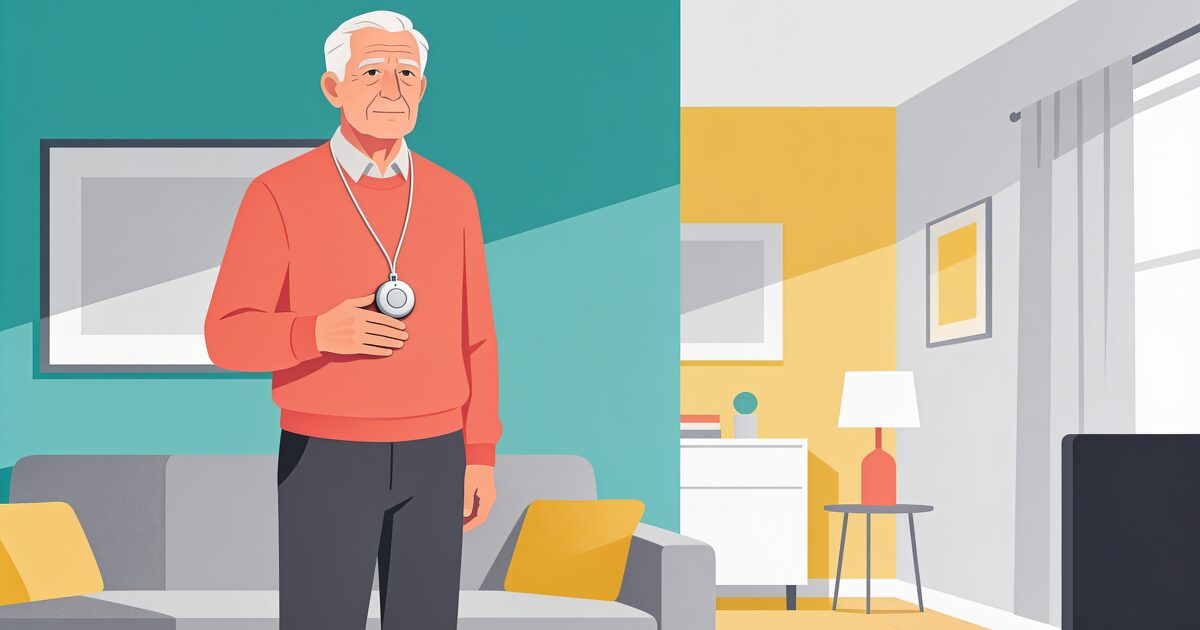
A panic button is the simplest safety promise there is. Something goes wrong, you press it, help comes. That simplicity is why it is often the first thing families look at when a parent starts living alone.
The call that never comes is the scariest. AssureOkay ensures someone always knows.
Try free for 3 daysBut "panic button" now covers everything from a pendant on a cord to a feature buried in a smartwatch, with very different costs, contracts, and levels of protection. And there is one honest limitation that runs through all of them, which the brochures rarely mention.
This guide walks through the main forms a panic button takes, the trade-offs between monitored and unmonitored options, the questions to ask before signing anything, and how to cover the gap a button leaves behind.
What a panic button is, and the forms it takes
At heart, a panic button is any device that summons help with one press. Today that comes in four main flavours.
Pendants and wristbands with a monitoring service
The classic setup: a waterproof button worn round the neck or on the wrist, linked to a 24-hour monitoring centre. Press it, and trained staff speak to you through a base unit or the device itself, work out what is wrong, and arrange the right response, from calling a neighbour with a key to sending an ambulance.
You pay a monthly fee for the monitoring, and many models add automatic fall detection. We compare this whole category in more depth in our guide to personal alarms for the elderly.
Unmonitored buttons that dial family
A simpler and cheaper cousin: a wearable button that, when pressed, calls or texts a preset list of family numbers directly. There is no call centre and usually no monthly fee beyond a SIM card.
The saving is real, but so is the catch. The alert is only as good as the person receiving it. If your daughter is in a meeting with her phone on silent, the button has done its job and still nobody is coming.
Smartwatch SOS
Modern smartwatches include an SOS function: press and hold a button and the watch calls emergency services and messages your emergency contacts with your location. Higher-end models add fall detection that can trigger the call automatically if you are unresponsive after a hard fall.
For an active older adult who already likes wearing a watch, this is protection that does not look or feel medical, and it works away from home too. The trade-offs are daily charging and a gadget that some people find fiddly. Our guide to the best smartwatch for seniors covers what to look for.
Phone-based SOS and panic button apps
Every modern smartphone has a built-in emergency shortcut, typically pressing the side button several times, which calls emergency services and shares your location with chosen contacts. Dedicated panic button apps build on this with big on-screen SOS buttons and alerts that go straight to family.
3-day free trial • Cancel anytime
Daily check-ins that save lives
Join thousands who never worry about being alone
The strength is that most people keep their phone close. The weakness is the word "most". A phone charging in the kitchen helps nobody lying in the bathroom.
Monitored or unmonitored: the real trade-off
Strip away the marketing and the choice comes down to who answers.
- Monitored services guarantee a trained human response at 3am on a bank holiday. You pay monthly for that certainty, and for someone who can dispatch emergency services on your behalf.
- Unmonitored buttons and apps cost little or nothing ongoing, and alert the people who love you rather than a stranger. But they depend entirely on those people being reachable at that exact moment.
A reasonable rule: the higher the medical risk and the smaller the local support network, the stronger the case for paying for monitoring. A robust seventy-year-old with two adult children nearby is in a different position from someone frail with family half a country away. If nobody can be reached and worry sets in, families sometimes end up asking the police to look in, which is worth understanding in advance: see what a welfare check involves.
Questions to ask before you buy
A short list that cuts through most sales patter:
- Who answers when the button is pressed, a call centre or a family member, and how quickly?
- What happens if the wearer cannot speak? Does the service treat silence as an emergency or hang up?
- Is there fall detection, and does the seller talk honestly about the falls it can miss?
- Is it properly waterproof? Bathrooms are where falls happen. A button that comes off at the shower door fails exactly when needed.
- What is the range? Base-unit systems often only cover the house and garden. Ask what happens at the shops.
- What is the contract? Look for rolling monthly terms, cancellation rules, and what happens to the equipment fee if you stop.
- How is it charged, and how often? A dead battery is an invisible failure. Prefer long battery life and clear low-battery warnings.
The honest gap: a button assumes you can press it
Here is the limitation every panic button shares, monitored or not, worn or carried. It only works if you can reach it and press it.
A severe stroke, a faint, a fall that knocks you unconscious, a sudden illness that leaves you confused: these are precisely the emergencies where pressing anything is impossible. Fall detection narrows the gap but does not close it, because slow slumps and medical collapses often do not look like falls to a sensor. And none of it helps on the days the pendant sits in the drawer because it "makes me feel old".
This is not a reason to skip a button. It is a reason not to rely on one alone.
Closing the gap with scheduled check-ins
The complement to a panic button is something passive: a system that notices you have not confirmed you are okay, rather than waiting for you to raise the alarm.
A daily check-in works like this. At times you choose, you confirm you are well with a quick tap, a text reply, or by answering a short friendly phone call. Miss a check-in, and your trusted contacts are alerted automatically with escalating notifications until someone responds. No button press required, because the system treats silence itself as the signal.
AssureOkay does both halves of this. It includes an SOS you can trigger from your phone or watch when you can act, and scheduled check-ins with automatic escalation for the moments you cannot. The two approaches cover each other's blind spots: the button for the emergencies you can respond to, the check-in for the ones you cannot.
If you are weighing up a panic button for yourself or a parent, it is worth seeing how the passive half works too. See how a daily check-in works and think of it as the safety net underneath the button.
Get the free Living Alone Safety Checklist
The home setup, daily habits, and emergency info that keep people living alone safe, in one email you can act on this week.
Please complete the verification above.
Check your inbox
Your safety checklist is on the way to .
Frequently asked questions
TRUSTED BY THOUSANDS OF FAMILIES
Never Wonder "Are They Okay?" Again
Daily check-ins with automatic alerts to your loved ones if you ever need help.
"I was skeptical at first, but after my neighbor was found 3 days after a fall, I signed up immediately. Now my daughter knows I'm okay every single day."
— Margaret R., 72, living independently
Related Articles
Solo Aging: What It Means and How to Plan for Growing Older on Your Own
Growing older without a partner or nearby children to fall back on is more common than the brochures...
Living Alone: The Complete Guide to Doing It Well (Safety, Loneliness, Money, and Joy)
Millions of people live alone, and almost nobody teaches you how. Here is the honest version: the fi...
Jobs for Seniors Over 60: Flexible Work That Actually Suits You
Working past 60 can mean income, purpose, and people, on your own terms. Here are realistic job opti...
Best Dogs for Seniors: 8 Gentle Breeds and What to Look For
A dog can be wonderful company in later life. Here's how to choose one that suits your energy and ho...