Best Smartwatch for Seniors: Fall Detection, SOS, and How to Choose
Published August 6, 2026
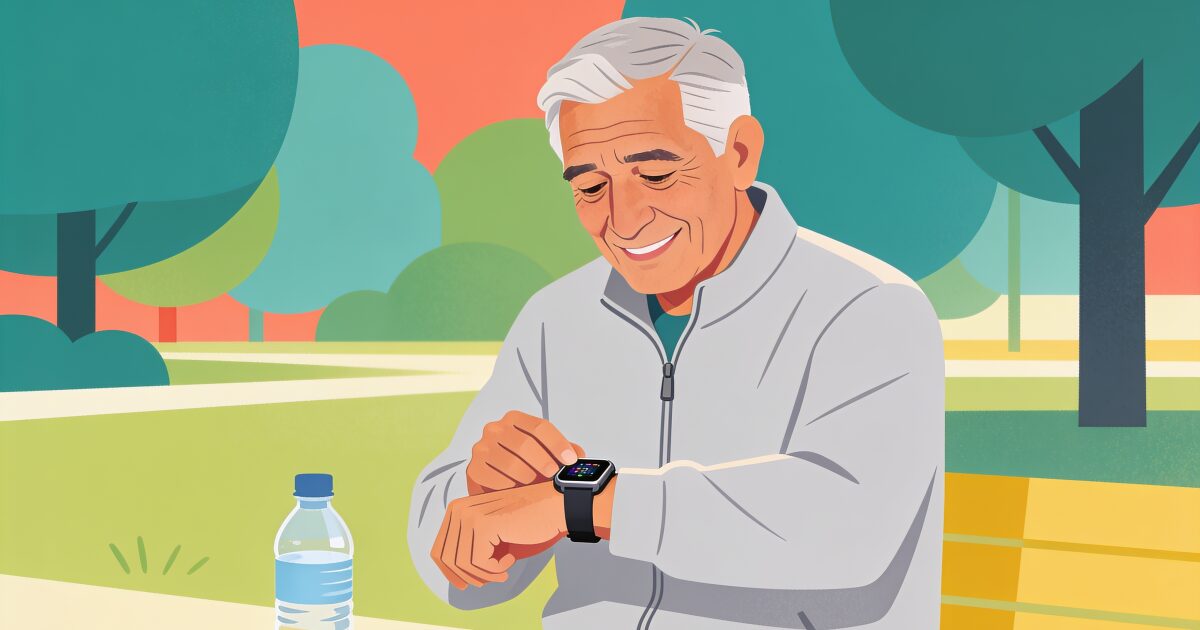
A watch that notices a fall and calls for help would have sounded like science fiction not long ago. Today it is a standard feature on mainstream smartwatches, alongside heart-rhythm alerts, SOS buttons, GPS, and medication reminders.
Living alone doesn't mean being unprotected. Simple daily check-ins that save lives.
Try free for 3 daysThat makes a smartwatch one of the most genuinely useful pieces of technology an older adult can own. It also makes the shopping confusing, because "smartwatch for seniors" now covers everything from an Apple Watch to subscription medical alert watches that are really pendant alarms in a watch case.
This guide untangles the options, explains what the safety features really do (and where they fall short), and helps you choose between a watch and a traditional alarm.
What a smartwatch can actually do for an older adult
The headline features worth caring about:
- Fall detection. The watch senses a hard fall, checks whether you respond, and if you do not, automatically calls emergency services and messages your emergency contacts with your location. This works even if you are unconscious, which is exactly the scenario a pendant button cannot cover.
- SOS calling. Press and hold a button to call for help and alert chosen contacts, wherever you are. On cellular models this works without a phone nearby.
- Heart alerts. Modern watches can flag unusually high or low heart rates and signs of irregular rhythm. These alerts are not diagnoses, but they have sent a great many people to a doctor earlier than they would otherwise have gone.
- GPS location. In an emergency, contacts can see where the wearer is. This matters most for people who still walk, garden, and shop, since traditional home alarms stop working at the front gate.
- Medication and activity reminders. A gentle tap on the wrist at pill time is harder to miss than a note on the fridge.
- Check-in apps on the wrist. Daily check-in services like AssureOkay have watch apps too, so confirming you are okay each day can be a tap on the wrist, and some can even check you in automatically using the watch's activity signals.
Apple Watch: the strongest all-rounder
If there is an iPhone in the family, the Apple Watch is the benchmark. Fall detection is mature and enabled automatically for older wearers, Emergency SOS is simple, and the heart notifications are well proven. The SE model covers all the core safety features at the lower end of Apple's range, which is why it is the usual recommendation for older adults.
One feature deserves careful explanation: Family Setup. A family member with an iPhone can pair a cellular Apple Watch to their own phone and manage it remotely. That means the wearer does not need to own an iPhone, or any smartphone, to wear an Apple Watch with calling, SOS, fall detection, and location sharing. The catch is that it does require that family member's iPhone for setup and management, needs a cellular watch model, and adds a monthly cost for the watch's own connection.
The honest drawbacks: Apple Watches need charging roughly daily, and the screen and menus are small. For someone with limited dexterity or low vision, practise together before relying on it.
Samsung Galaxy Watch: the Android answer
For Android households, Samsung's Galaxy Watch line offers the closest equivalent: fall detection with automatic SOS, emergency contacts, heart-rate and rhythm notifications, and GPS. Pairing and family support are easiest if the wearer (or their helper) uses a Samsung phone.
The same caveats apply as with Apple: near-daily charging, smallish controls, and safety features that need to be switched on and tested rather than assumed. Whichever brand you choose, sit down together and trigger a test SOS so the person has felt how it works before they ever need it.
3-day free trial • Cancel anytime
Daily check-ins that save lives
Join thousands who never worry about being alone
Dedicated medical alert watches
Alongside the consumer brands sits a different category: watches from medical alert companies, often the same firms that sell pendant alarms. These are simpler devices with big buttons, long battery life, and one defining feature: a subscription to a 24-hour monitoring centre staffed by real people.
Press the button and a trained operator answers, assesses the situation, and dispatches the right help. For someone who lives alone and may be confused or frightened in an emergency, a calm human voice is worth a great deal. The trade-offs are the ongoing monthly fee, fewer everyday features, and a device that looks more medical, which some people dislike enough to leave in a drawer.
So when a product is marketed as a "medical alert watch", check what is behind the button: a staffed monitoring centre with a subscription, or simply automated calls to your own contacts. Both are useful; they are just different products at different prices. Our guide to personal alarms for the elderly covers the monitored-service world in more depth.
Battery life: the unglamorous deciding factor
Battery deserves its own section because it decides whether the safety features exist at all. A watch on a charger is not protecting anyone.
Full smartwatches (Apple, Samsung) generally need charging every day or two. Simpler medical alert watches can run for days. The right question is not "which lasts longest" but "will this person actually charge it": if the answer is a confident yes, a daily-charge smartwatch is fine, and charging while showering or reading the paper covers it. If the answer is doubtful, choose a longer-lasting device, because reliability beats features.
Watch or pendant alarm?
Sometimes the honest answer is that a classic pendant or wrist panic button is the better tool: it is cheap, lasts weeks per charge, and has exactly one function that cannot be fumbled. Our panic button guide walks through those options.
The case for the watch is quieter but powerful: people wear watches. A device that looks like a normal watch gets worn to the shops, in the garden, and around the house, while pendants are famously taken off and left on the bedside table. Add fall detection that works when the wearer cannot press anything, and for anyone willing to charge it, the watch usually wins on real-world protection. Pair it with a well-set-up phone (see our guide to the best cell phones for seniors) and you have covered most situations.
The missing piece: knowing someone is okay every day
Everything above is designed for the moment something goes wrong: the fall, the chest pain, the button press. But most days nothing dramatic happens, and the quiet worry for families is different: is Mum up and about this morning? Would we even know if she was not?
A daily check-in app answers that question without anyone having to hover. The person gets one gentle prompt a day and taps to confirm they are okay, from their phone or right from their watch, and some setups can even check in automatically from watch activity. If there is no response, someone they trust is alerted to look in.
A smartwatch and a daily check-in cover different gaps, and they work well together. If you want the everyday reassurance side handled, you can see how a daily check-in works.
Get the free Living Alone Safety Checklist
The home setup, daily habits, and emergency info that keep people living alone safe, in one email you can act on this week.
Please complete the verification above.
Check your inbox
Your safety checklist is on the way to .
Frequently asked questions
RATED 5.0 ON THE APP STORE
Never Wonder "Are They Okay?" Again
Daily check-ins with automatic alerts to your loved ones if you ever need help.
"I was skeptical at first, but after my neighbor was found 3 days after a fall, I signed up immediately. Now my daughter knows I'm okay every single day."
— Margaret R., 72, living independently
Related Articles
Medical Alert Watches for Seniors: Options, Costs, and the Fall-Detection Gap
A medical alert watch promises help on the wrist, but the label covers very different devices. Here...
Best Cell Phones for Seniors in 2026: How to Choose the Right One
Simplified senior phone or a regular smartphone with the right settings? Here's a plain guide to cho...
GPS Trackers for Elderly Parents: Wandering, Driving, and Knowing They Got Home
A GPS tracker can tell you where a parent is, not how they are. Here is when a tracker genuinely hel...
Apple Watch Fall Detection: How It Works, How to Turn It On, and What It Cannot Do
Apple Watch fall detection can call for help when someone takes a hard fall and cannot get up. Here...