Best Cell Phones for Seniors in 2026: How to Choose the Right One
Published July 27, 2026
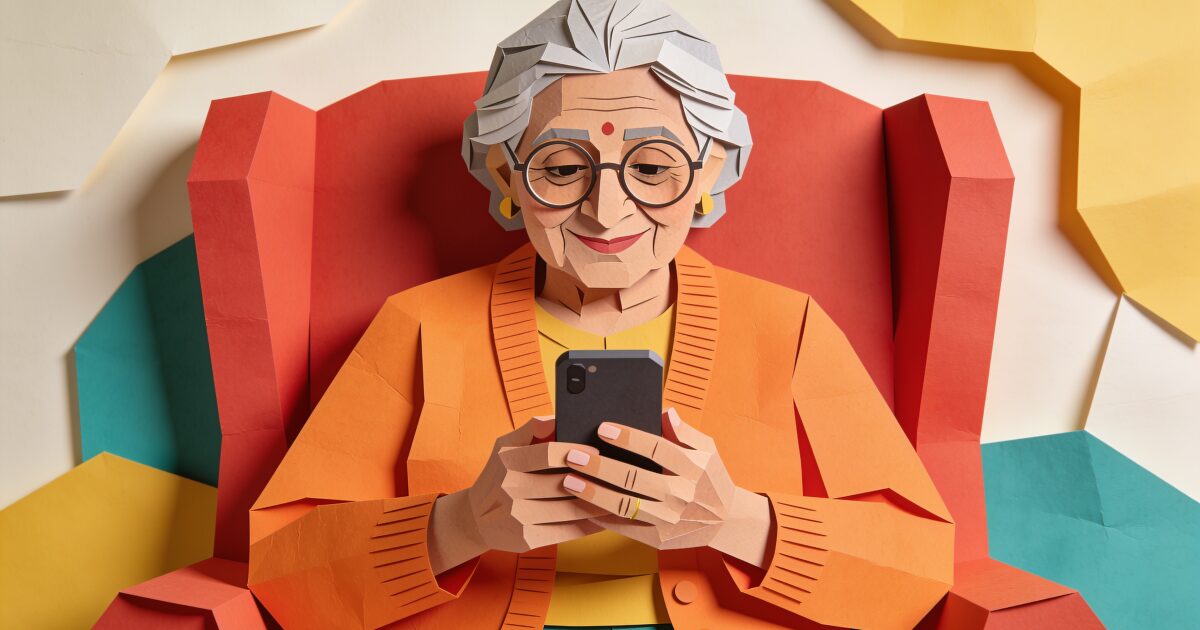
Choosing a phone for yourself, or for a parent, gets harder the more you look. Search "best cell phone for seniors" and you will find simplified flip phones, rugged big-button handsets, and ordinary smartphones all claiming to be the answer.
Know someone who lives alone? Give them (and yourself) peace of mind.
Try free for 3 daysThe honest truth is there is no single best phone. There is only the best phone for one particular person: their eyesight, their hearing, their hands, and how much technology they already use happily.
This guide skips the spec sheets and walks through what actually matters, the real trade-off between senior-specific phones and regular smartphones, and how to set a phone up so it gets used rather than abandoned in a drawer.
What actually matters in a phone for an older adult
Before comparing brands, it helps to know what you are looking for. These are the features that make a daily difference:
- A big, bright, clear screen. Not just physically large, but with text that can be scaled up without breaking the layout. High contrast and good brightness matter for ageing eyes.
- A loud, clear speaker. Both the earpiece and the speakerphone. If phone calls sound muffled, the phone will quietly stop being answered.
- Hearing-aid compatibility. Phones carry a hearing-aid compatibility rating, and many modern hearing aids can stream calls directly over Bluetooth. If the person wears aids, check this first, not last.
- Battery that lasts. A phone that dies by teatime is a safety problem, not just an annoyance. Simpler phones often last days; smartphones should comfortably last a full day.
- An SOS button or emergency shortcut. Many senior phones have a dedicated physical button on the back. Smartphones have built-in emergency features triggered by holding or pressing the side buttons. Either way, calling for help should not require navigating menus.
- A simple launcher or "easy mode". Big icons, fewer choices, and the important things on the first screen. Samsung phones have an Easy Mode built in, and both iPhone and Android can be dramatically simplified.
Notice what is not on the list: camera megapixels, processor speed, and slim design. Comfort and confidence beat specs every time.
Senior phones vs regular smartphones
This is the big decision, and both paths are genuinely good for different people.
Phones built for seniors
Brands like Lively (whose phones are widely known as Jitterbug; see our Jitterbug phone review) and Doro have spent years making handsets specifically for older adults. Expect big buttons or large icons, list-style menus instead of grids of apps, loud speakers, and a physical urgent-response or assistance button. Lively phones also connect to optional response services staffed by real people.
The upside is a much gentler learning curve. The downside is a ceiling: fewer apps, sometimes a proprietary service plan, and less flexibility if the person later wants video calls, banking apps, or photo sharing. They suit people who want a phone to be a phone.
A regular smartphone with accessibility turned on
The other route is a mainstream smartphone set up thoughtfully. An iPhone SE, a Samsung Galaxy A series phone, or a Google Pixel can all be transformed with a few settings: larger text and display zoom, increased contrast, louder volume, simplified home screens, and voice assistants that let you say "call Sarah" instead of hunting for a contact.
3-day free trial • Cancel anytime
Daily check-ins that save lives
Join thousands who never worry about being alone
The upside is everything stays possible: video calls with grandchildren, photos, maps, and the growing world of apps built with older adults in mind. The phone also works with smartwatches, which matters if fall detection appeals (more on that in our smartwatch guide for seniors). The downside is more to learn up front, and more that can be accidentally changed.
A useful rule of thumb: if the person already uses a smartphone, however hesitantly, keep them on a smartphone and simplify it. Moving someone backwards to a basic phone often frustrates more than it helps.
Flip phone or smartphone?
Flip phones still deserve a place in this conversation. A modern senior flip phone, such as those from Lively or Doro, gives you physical buttons you can feel, a satisfying way to answer and end calls, days of battery, and almost nothing to go wrong. We compare the current models in our guide to the best flip phones for seniors.
Choose a flip phone if the person only wants calls and texts, struggles with touchscreens, or simply prefers buttons. Choose a smartphone if video calling family is important, if they enjoy photos or games, or if safety apps and check-in tools are part of the plan. There is no shame in either choice; the best phone is the one that gets answered.
Choosing a plan
The phone is only half the decision. A few things to look for in a plan:
- No long contract. Rolling monthly or prepaid plans keep things flexible if needs change.
- Unlimited calls and texts, modest data. Most older adults use far less data than the average plan assumes, especially with home Wi-Fi.
- Coverage where they live. The cheapest plan is worthless if the signal is poor at home. Ask neighbours which network works.
- Check for tied services. Senior-specific phones like Lively models run on their own service, which bundles the safety features but limits your choice of carrier.
Setting the phone up for a parent
If you are buying for a parent, the setup you do before handing the phone over matters more than the model you chose. Set aside an unhurried hour together:
- Add favourites with photos. A contact list of six familiar faces is friendlier than an alphabet of names.
- Fill in the medical ID and emergency contacts. Both iPhone and Android let first responders see allergies, conditions, and who to call from the lock screen. Show your parent it exists.
- Turn up text size and volume. Then have them read a message and take a call to check it feels right, rather than guessing.
- Declutter the home screen. Remove or hide everything they will not use. Phone, messages, camera, photos, and one or two chosen apps is plenty to start.
- Practise the emergency feature. Walk through how the SOS button or emergency shortcut works so it is familiar before it is ever needed.
Then be patient. One question answered kindly, ten times if needed, does more than any manual. For the wider picture of choosing and introducing devices, our guide to technology for seniors covers the whole landscape.
A phone helps, but it cannot check in for you
A well-chosen phone is one of the best safety tools an older adult can carry. It puts family one tap away and help one button-press away. But it shares a limitation with every device on this page: someone has to be able to reach it and use it when something goes wrong. After a fall or sudden illness, that is exactly what may not be possible.
That is why many families pair a good phone with a daily check-in. A check-in app sends a simple prompt each day, the person taps to confirm they are okay, and if they do not respond, someone they trust is alerted to look in on them. No new hardware, just the phone they already have.
It is a quiet layer of reassurance that works even on the days nobody happens to call. If that sounds useful for your family, you can see how a daily check-in works.
Get the free Living Alone Safety Checklist
The home setup, daily habits, and emergency info that keep people living alone safe, in one email you can act on this week.
Please complete the verification above.
Check your inbox
Your safety checklist is on the way to .
Frequently asked questions
RATED 5.0 ON THE APP STORE
Never Wonder "Are They Okay?" Again
Daily check-ins with automatic alerts to your loved ones if you ever need help.
"I was skeptical at first, but after my neighbor was found 3 days after a fall, I signed up immediately. Now my daughter knows I'm okay every single day."
— Margaret R., 72, living independently
Related Articles
Best iPhone for Seniors in 2026 (and How to Set One Up for an Older Adult)
An iPhone can be one of the easiest phones for an older adult, if you choose the right size and spen...
Best Flip Phones for Seniors in 2026: Simple, Loud, and Built to Last
A good flip phone gives an older adult real buttons, a battery that lasts for days, and nothing to t...
Best Cell Phone Plans for Seniors in 2026: 55+ Plans, Prepaid, and What to Check
Most older adults use far less data than the average plan assumes, so the best phone plan for a seni...
Medical Alert Watches for Seniors: Options, Costs, and the Fall-Detection Gap
A medical alert watch promises help on the wrist, but the label covers very different devices. Here...