Elderly Monitoring Systems Compared: Cameras, Sensors, Wearables, and Daily Check-Ins
Published September 17, 2026
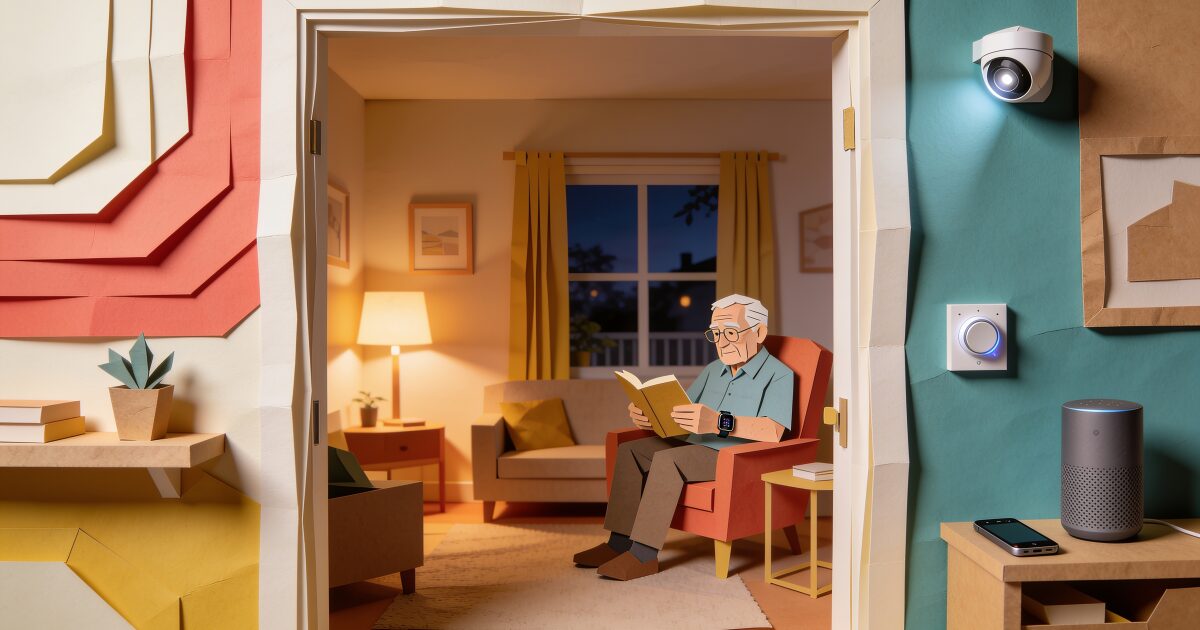
You are probably reading this because a parent lives alone and the gap between your visits has started to feel too long. A missed phone call now carries a small jolt of fear. You want to know they are okay without turning their home into a ward or yourself into a warden.
One missed check-in. Immediate family alert. That's the AssureOkay promise.
Try free for 3 daysThe market has an answer for every anxiety: cameras, motion sensors, fall-detection pendants, smartwatches, talking speakers, and apps. Most of them are sold as "peace of mind", which is not a feature. Each one catches some problems, misses others, and asks a different price in privacy and effort.
This guide compares them honestly, including the option we offer. There is no single best elderly monitoring system. There is only the one that answers the question you are actually asking, at a level of intrusion your parent can live with.
Start with the question you are actually asking
"Keep an eye on Mom" is not one problem. It is several, and they need different tools. Before you buy anything, work out which of these is really driving the search:
- Falls. You are afraid she will fall and lie there for hours. This points to something worn on the body, and to a way of noticing a long silence.
- Wandering. Dad has dementia and has been found in the wrong street. This points to door sensors and location, and we cover trackers separately in our guide to GPS trackers for elderly parents.
- Medication and routine. You are not sure the pills are being taken or the meals eaten. This points to routine sensors or a smart dispenser, plus regular conversations.
- Simply "are they okay today?" No specific fear, just the daily uncertainty. This is the most common question and the one most monitoring hardware answers worst.
- Gradual decline. You are trying to judge whether living alone is still safe at all. No device settles that; our guide to the signs a parent should no longer live alone is a better starting point.
Name the question, and half the products on this page drop away.
Indoor cameras
A Wi-Fi camera is the cheapest and most immediate option, and the one most likely to damage the relationship if handled badly.
Where cameras genuinely help is with narrow, specific questions. Did the home aide arrive? Did Dad get back from his walk? Is the front door being opened at 3am? A camera on the entryway or in a shared living space, with your parent's full agreement, can answer these well, and two-way talk lets you say hello.
Where they fail is as an all-day safety net. Nobody watches a live feed for hours. Motion alerts fire every time the cat moves. And a person who has fallen in the bedroom or bathroom, where cameras have no business being, is exactly the person a hallway camera does not see.
Consent is not optional here. Recording someone in their own home without their knowledge is a betrayal of trust, and depending on where you live it may also be unlawful. Have the conversation, agree where cameras are acceptable (an entryway, perhaps a kitchen), and never the bedroom or bathroom. If your parent says no, that is the answer, and it is a good moment to look at the less intrusive options below.
Passive activity sensors and smart plugs
This is the quietest form of monitoring. Small sensors go on the front door, the fridge, the bathroom door, the bedroom door, and a smart plug goes on the kettle or coffee maker. Over a week or two the system learns the shape of a normal day. If that shape breaks, no bathroom visit by 10am or no fridge opened all day, the family gets an alert.
Purpose-built systems from companies such as Aloe Care combine these sensors with a hub that can call a monitoring centre or family, and there are a number of similar products aimed at ageing parents. You can also assemble a rough version yourself with a smart home hub and a few plugs, with routines like "if the coffee maker has drawn no power by 10am, message me", though the purpose-built systems are far better at telling routine from noise.
The appeal is obvious: the person does nothing, wears nothing, and no camera is involved. The limits are real too. Visitors, holidays, and a lie-in on a rainy Sunday all break the routine and produce false alarms. Wi-Fi and a hub have to keep working. Most importantly, sensors detect movement, not wellbeing. A parent who is up, moving about, and quietly deteriorating with a chest infection or a urinary tract infection looks, to a motion sensor, exactly like a parent having a normal day.
Medical alert systems with fall detection
The classic pendant or wristband with a help button, connected to a monitoring centre staffed around the clock. Medical Guardian, Bay Alarm Medical and Lively are among the better-known US providers, and there are many others. Home systems use a base unit; mobile versions add cellular and GPS so the button works out of the house.
3-day free trial • Cancel anytime
Know They Are Okay Today, Without a Camera
Set up a daily check-in for your parent from your own account. They confirm they are fine with one tap, a text, or by answering a short call, and you are alerted only if they do not.
Most providers offer automatic fall detection as an add-on. It is worth having, with clear eyes about what it does. It catches many hard falls and calls the centre even if the person is unconscious. It misses some slow slides and falls onto soft surfaces, and it occasionally goes off when the pendant is dropped. Every provider says so in the small print.
The bigger limitation is human. The pendant only works while worn, and the shower, where a great many falls happen, is where people take it off. Ask your parent honestly whether they would wear it every waking hour, including in the bathroom, and believe the answer. A monthly fee applies, and prices vary, so check current pricing before comparing.
Smartwatches with fall detection
An Apple Watch does much of what a pendant does, and looks like a watch, which for many older people is the whole point. Fall detection is built in and turned on by default for wearers over 55. If the watch detects a hard fall and the person does not move for about a minute, it calls emergency services and messages their emergency contacts with a location. Samsung's Galaxy Watch offers a similar feature. We go deeper into how well it works, and where it does not, in our post on Apple Watch fall detection.
The trade-offs: the watch needs charging most nights, which is a new habit to build. It needs either a paired phone nearby or a cellular model with its own plan. And it only helps while worn. If your parent already likes gadgets, a smartwatch can be the least stigmatising safety device available. If they do not, it will live on the bedside table. Our smartwatch guide for seniors helps you judge which side of that line they fall on.
Smart speakers with drop-in
An Amazon Echo or similar speaker in the kitchen is not a monitoring system, but families use it as one. Alexa's Drop In lets an approved family member open a voice connection without the parent touching anything, and your parent can say "Alexa, call Sarah" from the floor if they cannot reach a phone.
It is cheap, friendly, and useful for daily connection. As a safety net it has two gaps. The speaker has to hear the person, so it only helps if they are conscious, able to speak, and within earshot. And the speaker cannot dial 911 directly on its own; Amazon offers a paid emergency service that can connect to help, so check current details if that matters to you. Treat a speaker as a lovely companion device that happens to add a little safety, not the other way around.
Daily check-in apps and calls
Everything above is passive: it watches, listens, or waits for a fall. A daily check-in is the one method where the person actively confirms they are okay. Each day, at a time they choose, they get a prompt by app notification, text message, or an automated phone call, and answer it with a tap, a reply, or a spoken yes. If they do not, after reminders and a grace period, the family is alerted.
This is the only approach on this page that catches the case sensors and cameras structurally cannot: the parent who is conscious, upright, and not okay. Someone who is dizzy and frightened, stuck in a chair they cannot rise from, or too confused by an infection to call anyone will still fail to check in, and that silence reaches you within hours rather than days.
It is also the most private option. Nobody watches, nothing records, and on a normal day you hear nothing at all. No hardware is needed; the automated call works on a landline, so it suits a parent with no smartphone.
The honest limits: it relies on the person responding, so it needs a parent who is willing and reasonably reliable. And it does not react in the minutes after a fall the way a worn pendant might. A missed check-in is a signal that something needs looking into, not a diagnosis. For most families the sensible pairing is one passive layer for the worst-case fall, and a daily check-in for everything else.
Monitoring methods at a glance
| Method | What it catches | What it misses | Privacy impact | Needs the person to do something? |
|---|---|---|---|---|
| Indoor camera | Arrivals, departures, visible incidents in one room | Anything off-camera; nobody watches all day | High | No |
| Activity sensors and smart plugs | Broken routines, no movement, door opened at night | Up-but-unwell; false alarms when routine changes | Medium | No |
| Medical alert pendant with fall detection | Hard falls, button presses, out-of-home emergencies | Falls when not worn (shower, bed); slow slides | Low | Must wear it, charge it, press it |
| Smartwatch with fall detection | Hard falls, calls for help by voice or wrist | Anything when not worn or uncharged | Low | Must wear it and charge nightly |
| Smart speaker with drop-in | Spoken calls for help within earshot | Unconscious or out of range; cannot dial 911 alone | Medium | Must speak |
| Daily check-in (app, text, or call) | Conscious but unwell, stuck, or unresponsive; any missed day | The first minutes after a fall | Very low | One tap, reply, or answered call a day |
Putting layers together
Very few families need everything, and buying everything mostly buys alerts nobody reads. A few common combinations:
- A parent at real risk of falls. A worn device with fall detection (pendant or watch) plus a daily check-in, so a fall is caught quickly and a quiet bad day is caught the same day.
- A parent with early dementia. Door sensors and a location option, plus a daily call rather than an app, and a conversation about what comes next.
- A parent who is well but alone. A daily check-in on its own is often enough, and it is the option most parents accept without feeling watched.
- A parent who is declining. No device replaces more human contact. Our guide to keeping elderly parents safe while living alone covers the practical and human side.
Whatever you choose, set it up with your parent, not for them. Show them exactly what you will and will not see. Monitoring that feels like surveillance gets switched off; monitoring that feels like a shared arrangement lasts.
Monitoring watches. A check-in asks.
Cameras, sensors, and wearables all try to infer from the outside whether your parent is alright, and the inference is only as good as what the device can see, hear, or feel. None of them can answer the plainest question of all: how are you today? The one method that asks, and lets your parent answer for themselves, is a daily check-in.
It takes them a few seconds a day, on the phone they already have. If they miss it, you and anyone else you choose are alerted automatically, with their last shared location if they allow it, so someone can look in. You can set it up on their behalf from your own account, which is often the easiest way to begin. Here is how to set up daily check-ins for a parent.
Get the free Living Alone Safety Checklist
The home setup, daily habits, and emergency info that keep people living alone safe, in one email you can act on this week.
Please complete the verification above.
Check your inbox
Your safety checklist is on the way to .
Frequently asked questions
RATED 5.0 ON THE APP STORE
Know They Are Okay Today, Without a Camera
Set up a daily check-in for your parent from your own account. They confirm they are fine with one tap, a text, or by answering a short call, and you are alerted only if they do not.
"I was skeptical at first, but after my neighbor was found 3 days after a fall, I signed up immediately. Now my daughter knows I'm okay every single day."
— Margaret R., 72, living independently
Related Articles
Best Mobile Phones for the Elderly in the UK (2026): Big Buttons, Simple Smartphones, and What to Check
Doro or Nokia, big buttons or a simplified smartphone, pay-as-you-go or SIM-only? A plain UK guide t...
GPS Trackers for Elderly Parents: Wandering, Driving, and Knowing They Got Home
A GPS tracker can tell you where a parent is, not how they are. Here is when a tracker genuinely hel...
Best Cell Phone Plans for Seniors in 2026: 55+ Plans, Prepaid, and What to Check
Most older adults use far less data than the average plan assumes, so the best phone plan for a seni...
Medical Alert Watches for Seniors: Options, Costs, and the Fall-Detection Gap
A medical alert watch promises help on the wrist, but the label covers very different devices. Here...