Best Mobile Phones for the Elderly in the UK (2026): Big Buttons, Simple Smartphones, and What to Check
Published September 23, 2026
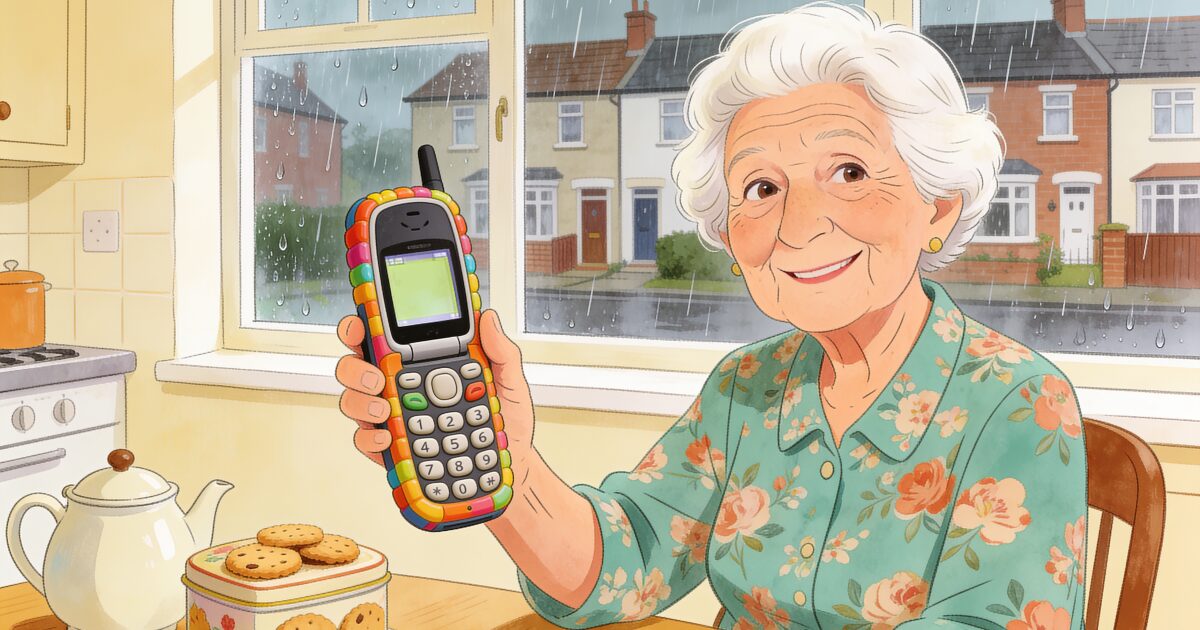
If you are searching for a mobile phone for an elderly parent, or for yourself, you will quickly find two very different answers. One is a chunky big-button handset with an assistance button on the back. The other is an ordinary smartphone with the settings turned up.
Your family worries about you. Let them know you're okay every day.
Try free for 3 daysBoth can be the right choice. There is no single best mobile phone for the elderly, only the best phone for one particular person: their eyesight, their hearing, their hands, and how much technology they already use happily.
This guide is written for the UK. It covers the big-button brands sold here, the simplified smartphone routes, why 4G now matters, how to choose a SIM-only or pay-as-you-go deal without overpaying, and how to set the phone up so it gets answered rather than left in a drawer. If you are buying for someone in the United States, our guide to cell phones for seniors covers the brands and carriers there.
What to check before you look at brands
Spec sheets are written for people comparing cameras. For an older person, a different list matters:
- A loud, clear earpiece and speakerphone. If calls sound muffled, the phone quietly stops being answered. This matters more than anything else on the box.
- Big, readable text or big physical keys. Either works. What does not is a small screen with small text, or keys so close together that a stiff thumb presses two at once.
- Hearing aid compatibility. Covered below, because it is the thing most often checked last and regretted first.
- Battery life measured in days. A basic phone should last several days on a charge. A smartphone should comfortably last a full day of light use. A phone that dies by teatime is a safety problem.
- An SOS or assistance button. A single physical button that calls chosen numbers in turn, without any menus, is one of the best reasons to buy a phone designed for older people.
- 4G. This is the one many buyers miss, so it gets its own explanation.
Notice what is not on the list: camera quality, processor speed, and slim design. Comfort and confidence beat specs every time.
Why the phone must support 4G
UK networks have been switching off their 3G services. A phone that only supports 2G and 3G loses mobile data, and while it may still make calls over 2G for now, 2G is due to go too within a few years.
So buy a 4G phone, and look for 4G, LTE, or VoLTE on the box or listing. This matters most with cheaper big-button phones and second-hand handsets, because many of the very cheap "senior phones" sold online were 2G or 3G only. A 4G phone also tends to support Wi-Fi calling, which helps with the rural coverage problem covered further down.
Big-button phones: Doro, Emporia, Nokia and the budget brands
If the person mostly wants to make and receive calls, send the odd text, and feel safe, a big-button phone is the gentlest option.
Doro is the best-known brand in this space in the UK, sold by the main networks and high-street retailers. Doro makes both candy-bar and flip phones with large, well-spaced keys, loud speakers, hearing aid compatibility, and an assistance button on the back that rings through a list of chosen numbers until someone answers. Their menus are plain lists rather than grids of icons.
Emporia is an Austrian brand with a similar philosophy: very clear keypads, simple menus, and an emergency button on many models. It is less widely stocked than Doro but is worth comparing, particularly if you find Doro's keys or layout do not suit the person.
Nokia (HMD) basic phones are not designed for older people specifically, but they are simple, well built, inexpensive, and last for days on a charge. Their 4G models suit someone who is not frail and simply wants a phone to be a phone. The trade-off is that most have no SOS button, smaller keys, and speakers that are adequate rather than loud.
TTfone and similar budget big-button brands are sold online and through catalogue retailers at low prices. Some are perfectly good. Build quality, speaker volume, and after-sales support vary a great deal, so read recent reviews and check for 4G before anything else.
A word on flip phones. Opening to answer and closing to hang up is a clear action many older people prefer, and it stops accidental pocket calls. Doro and Nokia both make 4G flip phones, but not all flips have an assistance button, so check.
Simple smartphones: Doro, Samsung Easy Mode, iPhone Assistive Access
A useful rule of thumb: if the person already uses a smartphone, however hesitantly, keep them on one and simplify it. Moving someone backwards to buttons usually frustrates more than it helps, and it takes away video calls, photos, and the safety apps that need a smartphone. There are three well-trodden routes.
Doro smartphones run Android with Doro's own simplified home screen: large tiles for calling, messaging, camera, and a few chosen apps, plus an assistance button on the back. They are a sensible first smartphone. The ceiling is lower than a mainstream phone and software updates end sooner, so think of them as a phone for the next few years rather than the next decade.
3-day free trial • Cancel anytime
Daily check-ins that save lives
Join thousands who never worry about being alone
Samsung with Easy Mode. Most Samsung Galaxy phones, including the affordable A series, have an Easy Mode that enlarges icons and text, simplifies the home screen, and lengthens the touch-and-hold delay so a slow press is not mistaken for a swipe. The full phone stays underneath, which is both its strength and its weakness: everything is possible, and everything can be accidentally changed.
iPhone with Assistive Access. Recent iPhones include Assistive Access, a mode that reduces the phone to a handful of very large, plain apps (Phone, Messages, Camera, Photos, and any others you choose). A family member sets it up and can switch back to the full iPhone with a passcode. If the rest of the family is on iPhone, FaceTime makes this route especially attractive, and it leaves the door open to an Apple Watch later. Our smartwatch guide for seniors covers when that is worth it.
Phone types at a glance
| Phone type | Best for | Watch out for |
|---|---|---|
| Big-button phone (Doro, Emporia, TTfone) | Calls and texts, poor eyesight, stiff hands, wanting an SOS button | Confirm 4G; texting is slow on a keypad; cheaper models can have weak speakers |
| Big-button flip phone (Doro, Nokia) | Someone who likes a clear open-to-answer action and a pocketable phone | Not all flips have an assistance button; hinges wear with heavy use |
| Basic Nokia (HMD) 4G phone | Light users, a second or backup phone, tight budgets | No SOS button; smaller keys; not designed around hearing aids |
| Doro smartphone | A first smartphone with video calls, kept deliberately simple | Fewer apps; shorter software support than mainstream brands |
| Samsung Galaxy with Easy Mode | Existing Android users, families who can help remotely | Settings can be changed by accident; more to learn up front |
| iPhone with Assistive Access | Families on iPhone, FaceTime, a possible Apple Watch later | Higher cost; someone else needs to set up and maintain the mode |
Hearing aids and the phone
If the person wears hearing aids, check compatibility before you fall in love with a handset. Phones carry hearing aid compatibility ratings: an M rating for using the phone normally against the ear, and a T rating for the hearing aid's loop or telecoil setting. Higher numbers are better, and many senior-specific phones list these ratings clearly because it is a selling point.
Modern Bluetooth hearing aids change the picture. Paired with a compatible smartphone, calls stream directly into the aids, which many people find clearer than any speaker. Ask the audiologist which phones their aids work with, because the answer differs between iPhone and Android. Whatever the phone, have the person take a real call during the returns window. A rating on a box is not the same as a voice they can follow.
What the SOS button does, and what it does not
On most Doro and Emporia phones, and on many budget big-button models, the assistance button on the back works like this: press and hold, and the phone calls a list of numbers you have programmed, one after another, until someone picks up. Many models also send a text to those numbers, sometimes with an approximate location.
It is genuinely useful. It is not a monitored alarm service: nobody at a call centre answers, and if every family member is in a meeting, the call rings out. It also depends on the person being able to reach the phone and press the button, which after a fall may not be possible.
For someone at real risk of falls, families in the UK often compare this with a pendant alarm. Our guides to personal alarms for the elderly and alternatives to a careline alarm walk through those options and their monthly costs honestly.
SIM-only, pay-as-you-go, and social tariffs
Phones bought new in the UK now come unlocked, so you can pick the phone and the network separately. That is good news, because the right deal for an older person is rarely the one bundled with a shiny handset.
- Pay-as-you-go. You top up credit and it lasts until spent. It suits someone who makes very few calls and dislikes a monthly bill. The risk is running out of credit without noticing, so set up auto top-up or check it when you visit.
- Rolling one-month SIM-only. Unlimited calls and texts with a small data allowance, cancellable monthly. For anyone who uses the phone regularly this removes the credit worry entirely. Most older people use far less data than plans assume.
- Which network. EE, O2, Vodafone and Three run the UK's networks. giffgaff and Tesco Mobile use O2's signal, Lebara uses Vodafone's, and there are many others. The smaller providers are often cheaper for light use, with the same coverage as the network they ride on.
- Social tariffs. A few mobile providers offer cheaper social tariffs for people receiving certain benefits, such as Pension Credit or Universal Credit. Availability and eligibility change, so ask the network directly or check the regulator's list. Age UK's advice line can also help with this sort of question.
- Avoid long contracts. Needs change, and a two-year contract on the wrong phone is a miserable thing to be stuck with.
We do not quote prices here because they move faster than any guide can. Compare current deals once you know which type of phone and plan you want.
Coverage in rural areas
The cheapest deal is worthless if the signal is poor at home. Check the person's postcode on the Ofcom mobile coverage checker and the networks' own checkers, then do the thing that actually works: ask the neighbours which network they use.
Indoor coverage in thick-walled cottages and rural villages can be far worse than the map suggests. Wi-Fi calling lets a 4G phone make ordinary calls over home broadband when the signal is weak; most mainstream smartphones support it, basic phones often do not. Keeping the landline is still sensible too, not least because UK landlines are being moved to digital and a charged mobile is a useful backup in a power cut.
Setting the phone up for a parent
The setup you do before handing over the phone matters more than the model. Set aside an unhurried hour together and:
- Add a handful of favourites with photos. Six familiar faces beats an alphabet of names. On a big-button phone, programme the speed-dial keys.
- Programme the assistance button. Enter the numbers in the order you want them called, and tell those people what it means if their phone rings from it.
- Turn up the text size and the ring volume. Then have them read a message and take a call to check it feels right.
- Fill in the medical ID. iPhones and most Android phones let paramedics see conditions, allergies, and emergency contacts from the lock screen.
- Remove what they will not use. On a smartphone, hide everything except phone, messages, camera, photos, and one or two chosen apps.
- Write the important numbers down too. 999 for emergencies, 111 for urgent NHS advice, 101 for the police when it is not an emergency, and the GP surgery. A card by the phone is a backup, not old-fashioned.
Then be patient. One question answered kindly ten times does more than any manual.
A mobile helps, but it cannot notice a silence
A well-chosen mobile puts family one press away and help one button away. But it shares a limitation with every device in this guide: someone has to be able to reach it and use it when something goes wrong. After a fall, a stroke, or a sudden illness, that may not be possible. And on an ordinary quiet day, nobody is watching to notice that the phone has not been touched.
That is why many UK families pair a good phone with a daily check-in. The person gets a short prompt each day and confirms they are okay with one tap, a text reply, or by answering an automated phone call. If they do not respond, the people they have chosen are alerted automatically so someone can look in. It works on whatever phone you have just chosen, and the phone call option works on a landline too, so no smartphone is needed at all. You can see how the daily phone check-in works.
Get the free Living Alone Safety Checklist
The home setup, daily habits, and emergency info that keep people living alone safe, in one email you can act on this week.
Please complete the verification above.
Check your inbox
Your safety checklist is on the way to .
Frequently asked questions
TRUSTED BY THOUSANDS OF FAMILIES
Never Wonder "Are They Okay?" Again
Daily check-ins with automatic alerts to your loved ones if you ever need help.
"I was skeptical at first, but after my neighbor was found 3 days after a fall, I signed up immediately. Now my daughter knows I'm okay every single day."
— Margaret R., 72, living independently
Related Articles
Best Flip Phones for Seniors in 2026: Simple, Loud, and Built to Last
A good flip phone gives an older adult real buttons, a battery that lasts for days, and nothing to t...
Best Cell Phone Plans for Seniors in 2026: 55+ Plans, Prepaid, and What to Check
Most older adults use far less data than the average plan assumes, so the best phone plan for a seni...
Best iPhone for Seniors in 2026 (and How to Set One Up for an Older Adult)
An iPhone can be one of the easiest phones for an older adult, if you choose the right size and spen...
Elderly Monitoring Systems Compared: Cameras, Sensors, Wearables, and Daily Check-Ins
Cameras, motion sensors, fall-detection pendants, smartwatches, smart speakers, or a daily check-in?...